
IBM Bob · Premium Package for i (PPi) · IBM i Developer Mode
In most IBM i environments, experienced developers can handle MSGW jobs without difficulty. They know how to open WRKACTJOB, filter jobs by status, identify the ones waiting in MSGW, and take the appropriate action. However, production monitoring is increasingly handled by Level 1 (L1) service desk analysts who may have little or no IBM i experience.
When a batch job enters MSGW (Message Wait) status, it has stopped processing and is waiting for a response to a system message. The traditional approach required L1 analysts to search through hundreds of active jobs in WRKACTJOB, identify the jobs in MSGW, determine the reason for the message, and then decide what to do next. For someone without IBM i knowledge, that process is slow, confusing, and prone to mistakes.
The requirement was straightforward: provide a simple screen that displays only the jobs in MSGW and offers clear, labelled actions for each one. Analysts should be able to identify the problem and respond without remembering IBM i commands or navigating multiple green-screen displays.
This is the solution I built using IBM i Developer Mode, enabled through the IBM Bob Premium Package for i (PPi).
I deliberately kept the initial prompt short. I wanted to see how far IBM Bob could go with only a high-level requirement before I started adding implementation details or constraints.
I didn't provide a field list, mention IBM i SQL Services, describe the subfile layout, or specify any DDS keywords. I simply described the problem I wanted to solve.
Rather than returning a generic response, IBM Bob generated a detailed implementation plan that broke the solution into logical development steps. It identified the major components required to build the application before generating any code.
Before generating any code, IBM Bob returned a structured implementation plan. That was the first thing that caught my attention. Instead of jumping straight into code generation, it outlined the overall design, including:
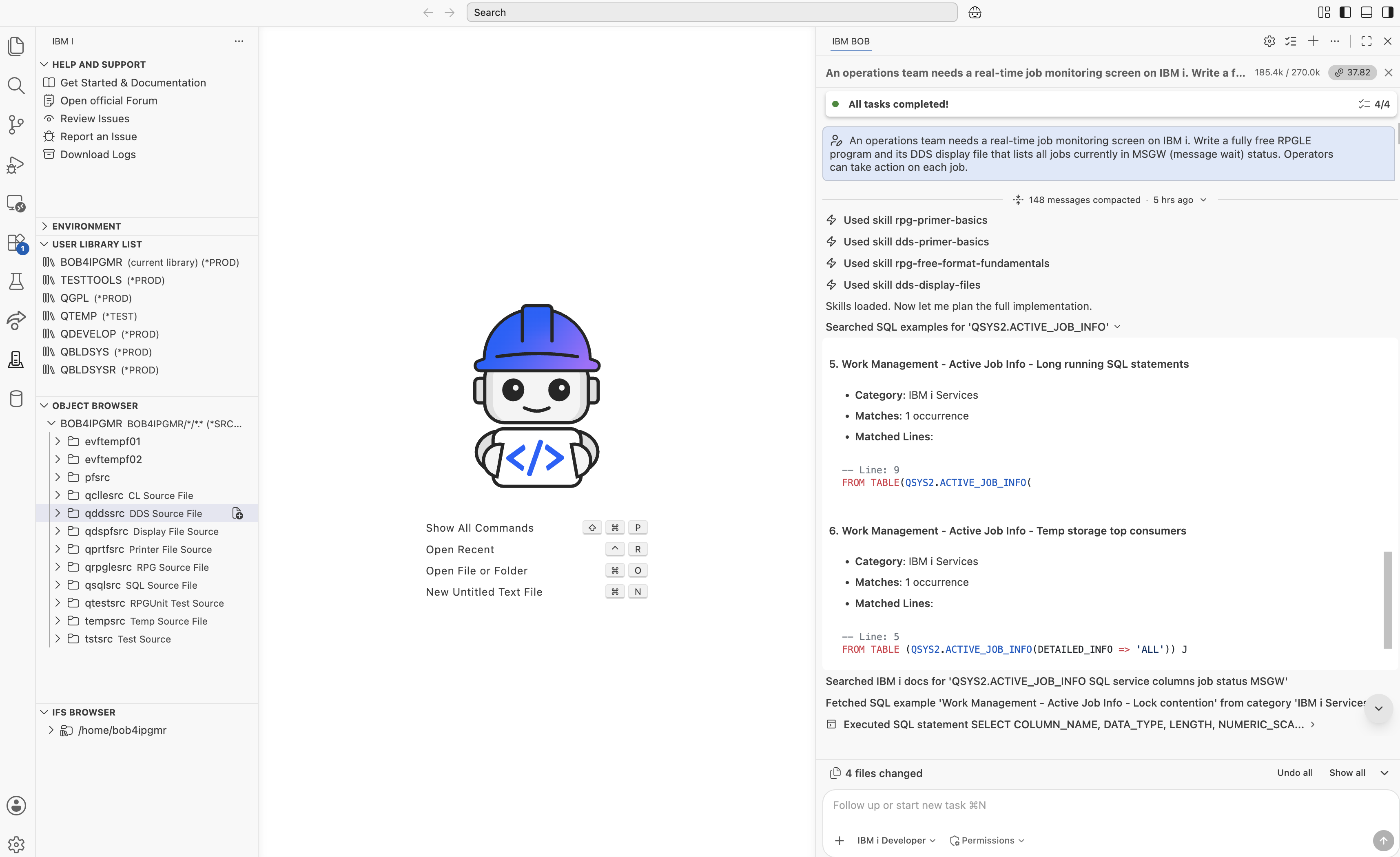
For the data source, IBM Bob selected QSYS2.ACTIVE_JOB_INFO(), an IBM i SQL table function that provides a real-time snapshot of active jobs. It planned to retrieve only jobs in MSGW status by filtering the results with WHERE JOB_STATUS = 'MSGW'.
I had used ACTIVE_JOB_INFO() before, so I immediately recognized the approach. What impressed me was that IBM Bob arrived at the same solution on its own and explained the reasoning behind it. Because the service is SQL-based, there is no need to call CL commands or automate WRKACTJOB. You simply query the service like any other table and retrieve the information you need. For a real-time MSGW monitoring application, it was a logical choice.
For the user interface, IBM Bob proposed a DDS display file with a subfile to display one row for each MSGW job. The design also included a fixed footer on lines 22–23 for the function key legend and a message subfile on line 24 to provide operator feedback. It also mapped seven operator actions to the appropriate CL commands, giving the application the functionality needed for day-to-day production support.
| Option | Action | CL Command |
|---|---|---|
2 | Work With Job | WRKJOB JOB(...) |
3 | Hold Job | HLDJOB JOB(...) DUPJOBOPT(*MSG) |
4 | End — Controlled | ENDJOB JOB(...) OPTION(*CNTRLD) DELAY(30) |
5 | Display Messages | WRKJOB JOB(...) OPTION(*MSG) |
6 | Release Job | RLSJOB JOB(...) DUPJOBOPT(*MSG) |
7 | Display Job Log | DSPJOBLOG JOB(...) OUTPUT(*) |
8 | End — Immediate | ENDJOB JOB(...) OPTION(*IMMED) |
That planning step turned out to be more valuable than I expected. It gave me an opportunity to review the overall approach before any code was generated. If I wanted to use a different data source, change the screen design, or support a different set of actions, that was the right time to make those changes.
One thing I noticed while building the application was how IBM i Developer Mode automatically selected the appropriate IBM i skills based on the task. Rather than relying on general AI knowledge, IBM Bob used specialised IBM i skills that understood IBM i development patterns and platform-specific conventions.
Two IBM i skills were used while building this application.
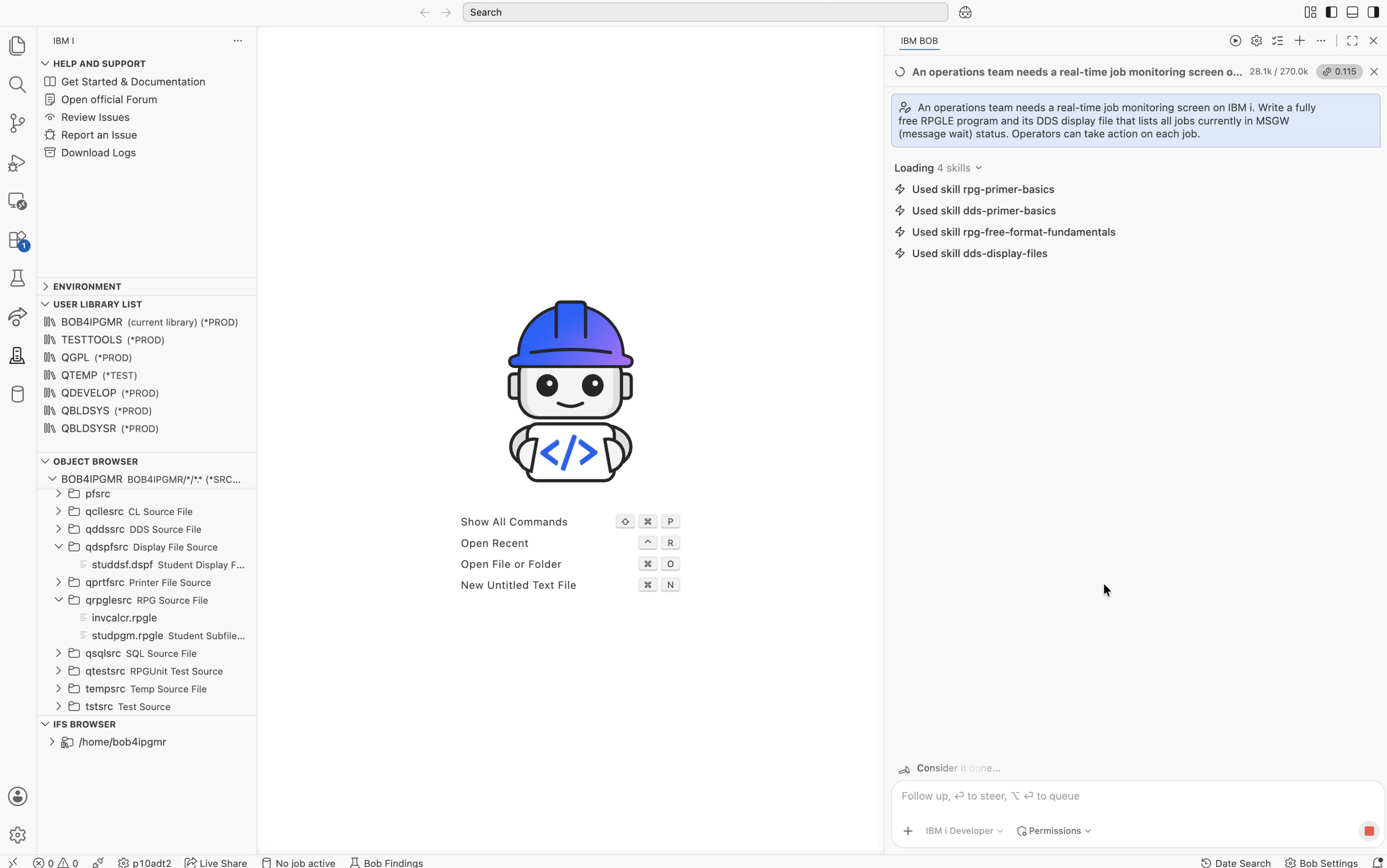
DDS Display Files Skill (dds-premier-basics / dds-display-file) — When generating the display file, IBM Bob used the DDS Display Files skill. It includes IBM i-specific knowledge that is difficult to find in general programming references, such as the correct use of OVERLAY on a subfile control record, the rule that COLOR applies only to named output fields (not unnamed literals), and how message subfiles are integrated using QMHSNDPM. That knowledge allowed IBM Bob to generate a DDS display file that compiled successfully on the first attempt.
ILE RPG Free-Format Skill (rpg-premier-basics / rpg-fundamentals) — When generating the SQLRPGLE program, IBM Bob automatically switched to the ILE RPG Free-Format skill, specifically the SQLRPGLE sub-skill. It generated IBM i-specific constructs such as SFILE(MSGSFL: WkRRN) for subfile processing, declared the display file with INDDS, and used the correct QCMDEXC prototype. These are the kinds of implementation details that are easy to overlook but are essential for a working IBM i application.
Using IBM i Developer Mode, IBM Bob generated two source members directly on the IBM i system:
BOB4IPGMR/QDSPFSRC(MSGWDSPF) — the DDS display fileBOB4IPGMR/QRPGLESRC(MSGWMON) — the SQLRPGLE program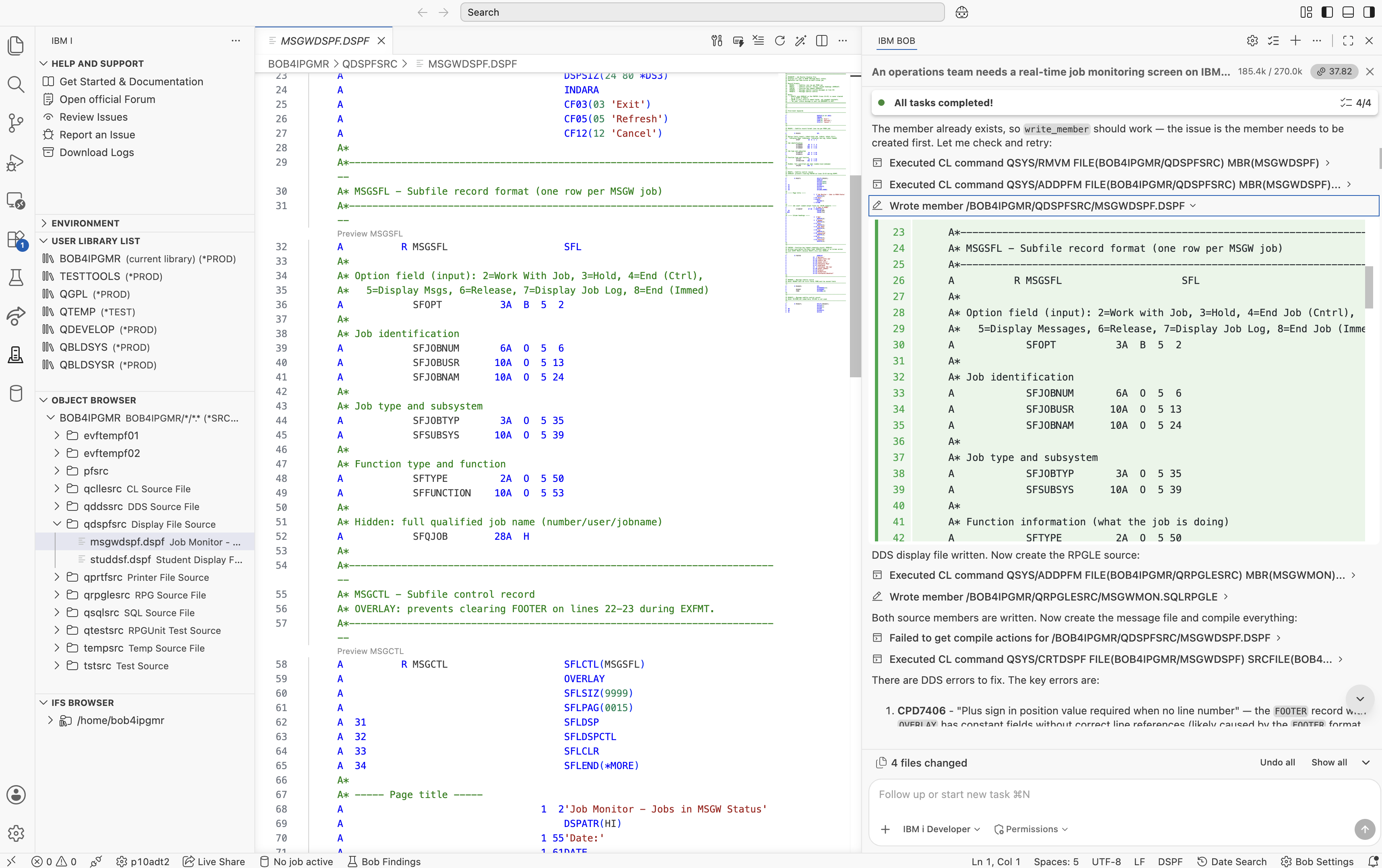
The DDS display file contained five record formats: MSGSFL (subfile), MSGCTL (subfile control), FOOTER (function key legend on lines 22–23), and MSGQSFL and MSGQCTL for the message subfile displayed on line 24.
One implementation detail immediately caught my attention. IBM Bob added a hidden 28-character field SFQJOB to store the fully qualified job name (number/user/name) for each subfile row. I hadn't included that requirement in my prompt, but it turned out to be exactly the right design choice. Commands such as HLDJOB and ENDJOB require the fully qualified job name. By storing it as a hidden subfile field, the RPGLE program can read the value directly from the selected subfile record when the operator presses Enter. There is no need to reconstruct the job name from separate fields, perform string manipulation, or query the data again. The required value is already available.
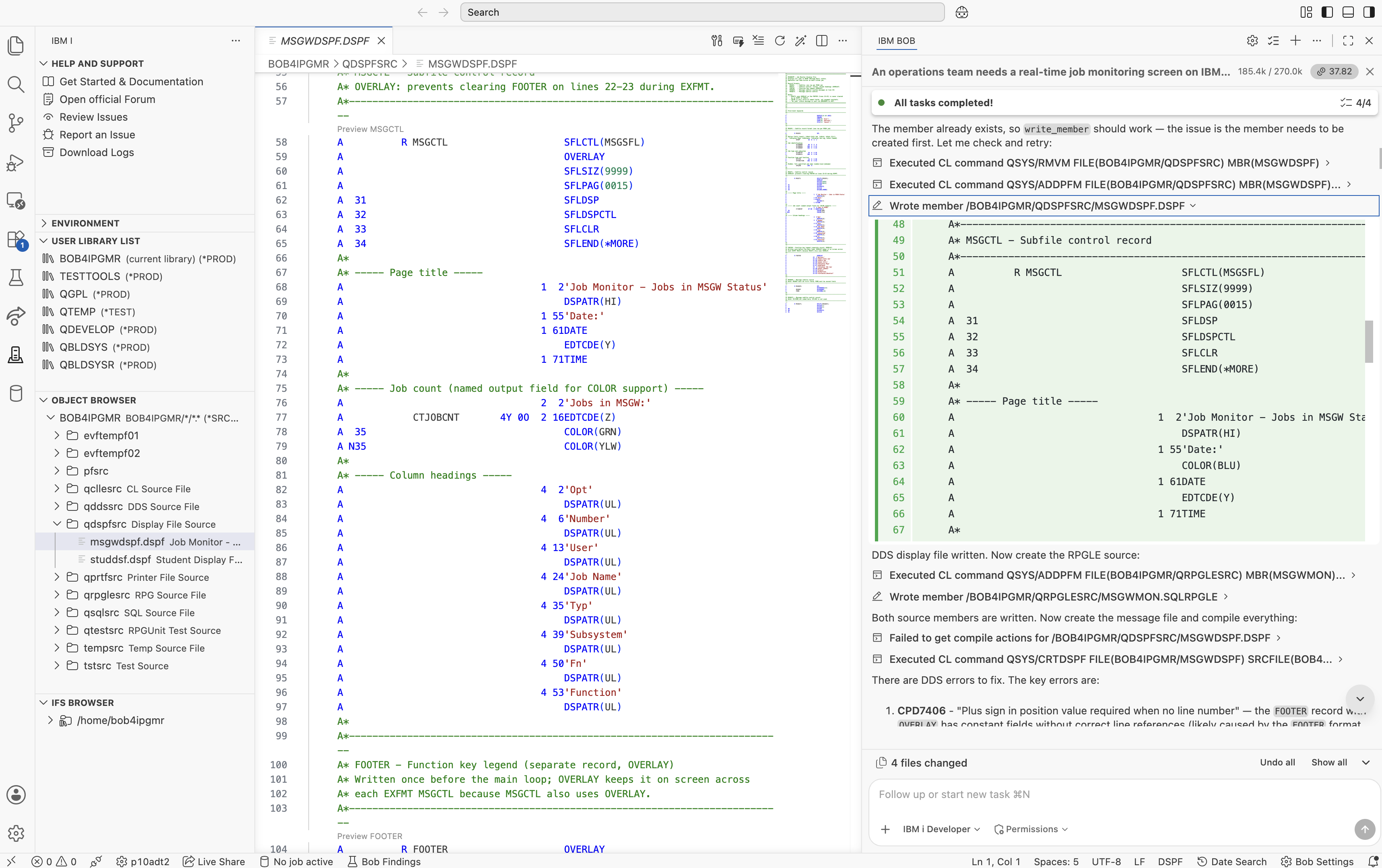
CTJOBCNT defined as a named output field so COLOR(GRN/YLW) could be applied
Another nice touch was the job count indicator. IBM Bob displayed the count in green when MSGW jobs were present and yellow when no jobs were found. To support that, it correctly defined CTJOBCNT as a named output field, because the COLOR keyword in DDS applies only to named output fields — not to unnamed constants.
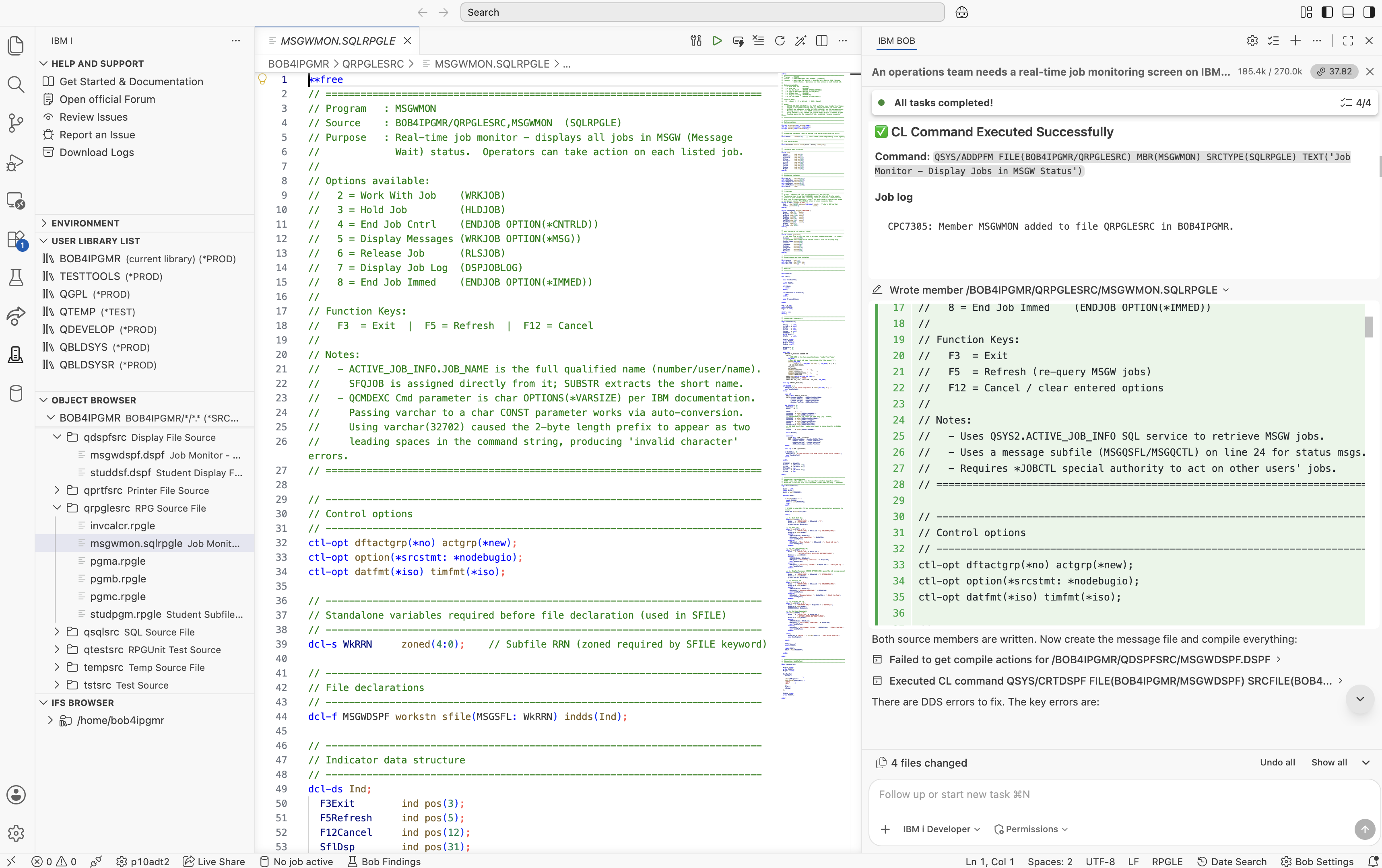
DCL-F with SFILE(MSGSFL: WkRRN) and INDDS, generated by the ILE RPG Free Format Skill
One of the first things I noticed in the generated RPGLE program was the file declaration: SFILE(MSGSFL: WkRRN). This keyword is essential for subfile processing. Without it, the compiler does not recognise MSGSFL as a subfile format, and operations such as READC, WRITE, and UPDATE on the subfile fail. The ILE RPG Free-Format Skill generated the declaration correctly on the first attempt.
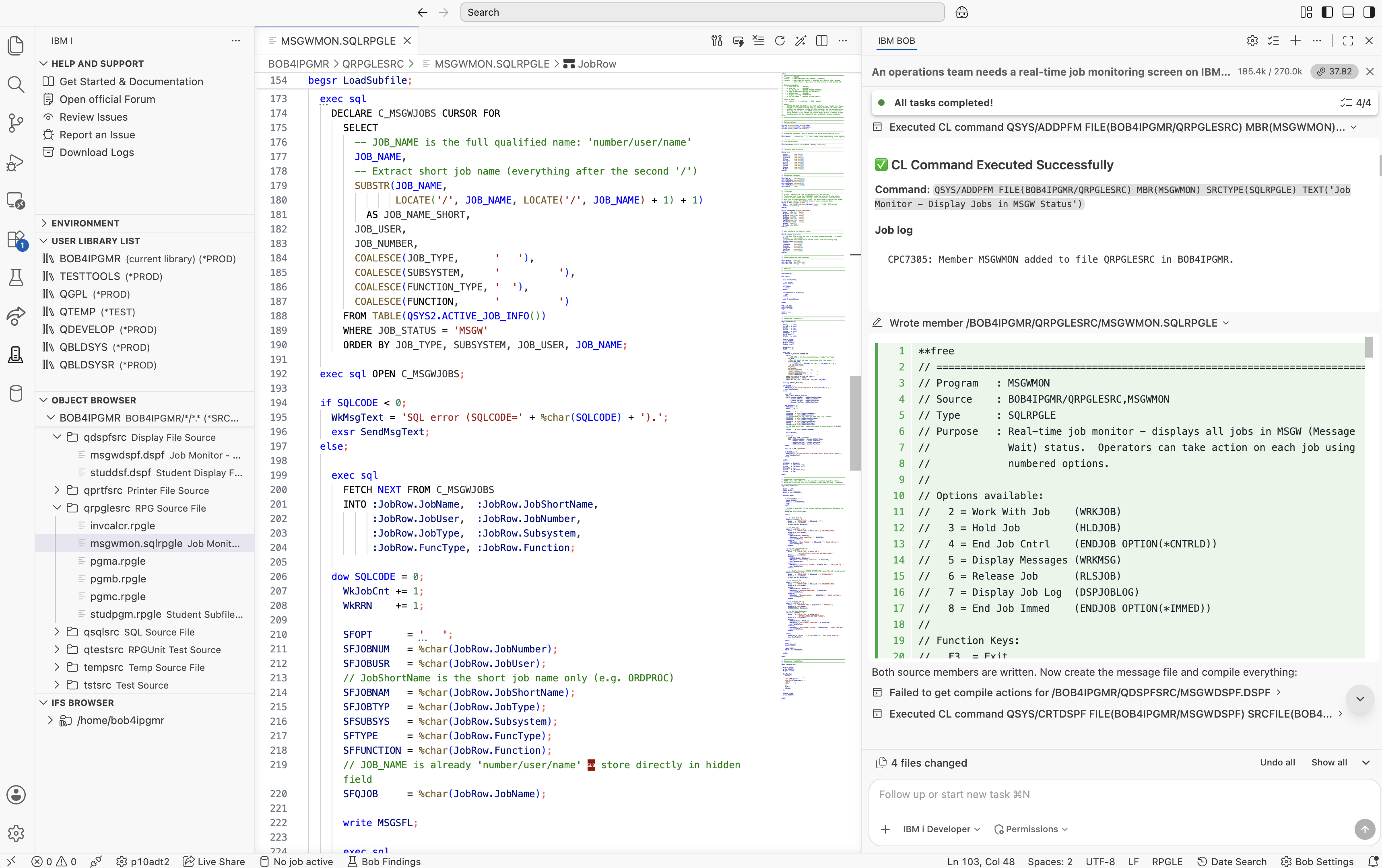
QSYS2.ACTIVE_JOB_INFO() IBM i SQL Service to retrieve live job data
For retrieving the job information, IBM Bob chose QSYS2.ACTIVE_JOB_INFO(), which is the IBM i SQL Service designed to provide a real-time view of active jobs. Because it is an SQL service, there is no need to call CL commands. The cursor simply filters the results with WHERE JOB_STATUS = 'MSGW', returning only the jobs that require attention.
Another implementation detail caught my attention. The JOB_NAME column returned by QSYS2.ACTIVE_JOB_INFO() already contains the fully qualified job name in number/user/name format — for example, 327961/BOB4IPGMR/PGMA — rather than just the short job name. IBM Bob generated a nested LOCATE and SUBSTR expression to extract the short job name for display in the subfile while preserving the fully qualified job name in SFQJOB. That hidden field was then used when constructing CL commands, ensuring the correct job was always referenced.
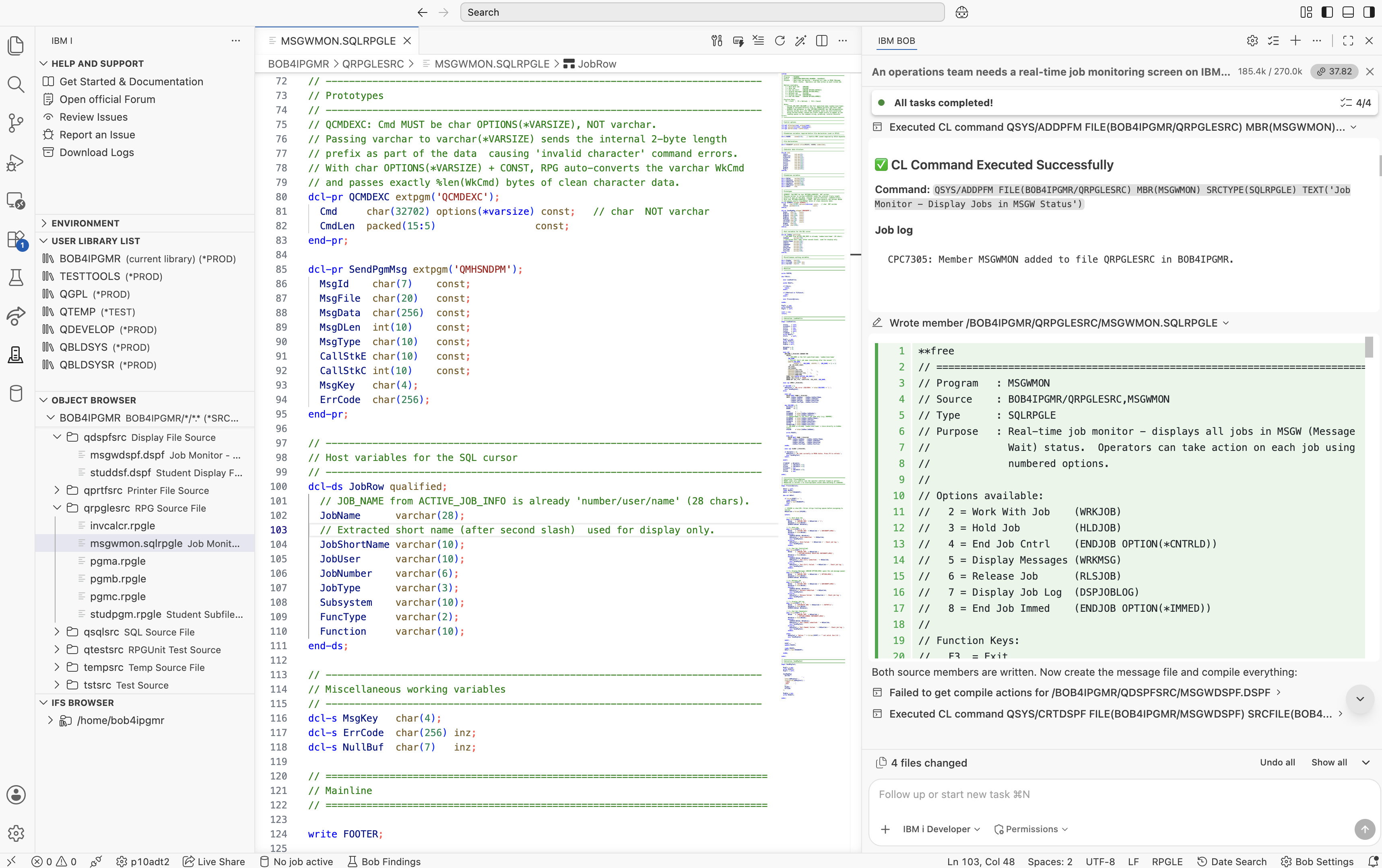
QCMDEXC prototype with char OPTIONS(*VARSIZE), correctly generated by the ILE RPG Free Format Skill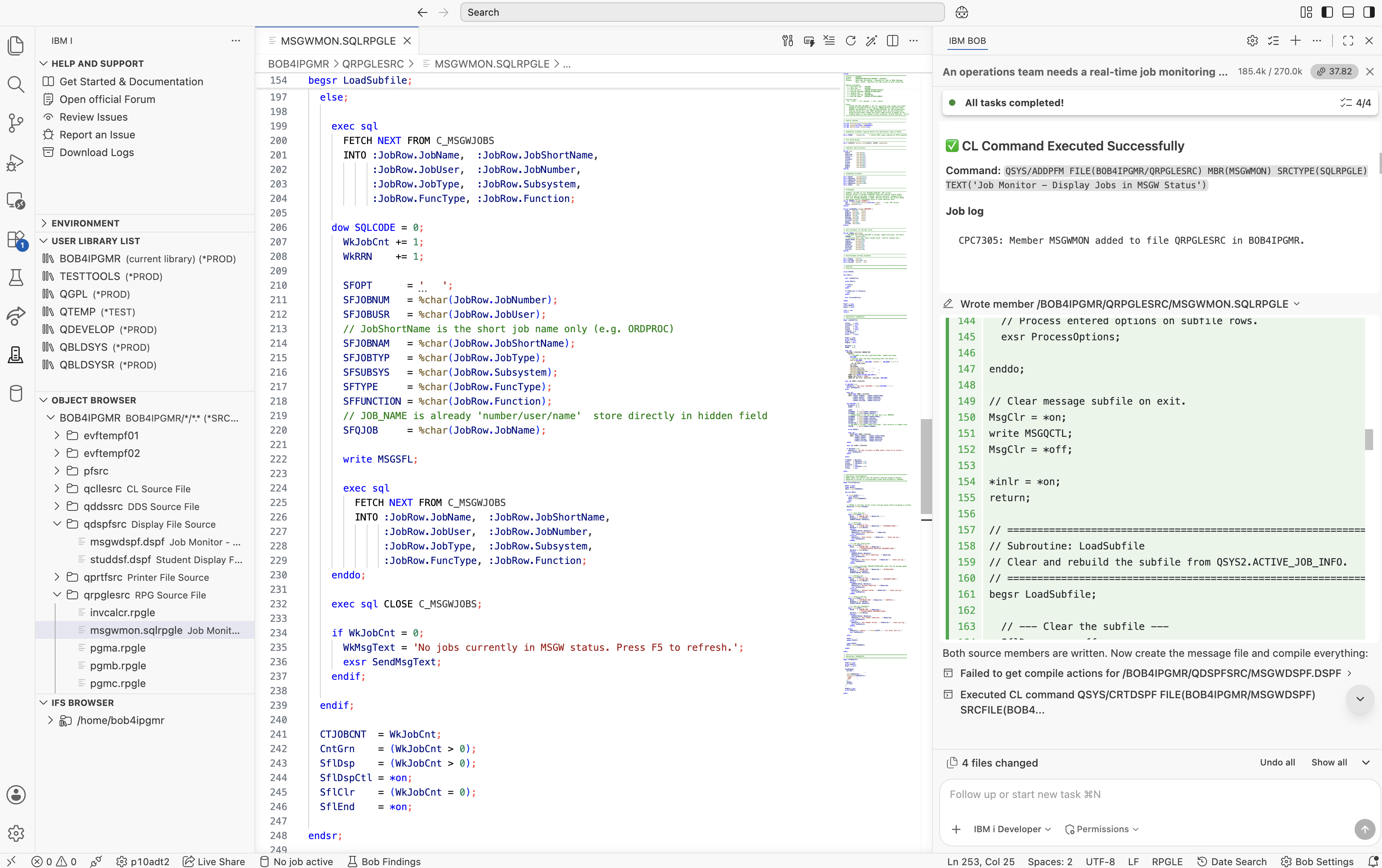
ACTIVE_JOB_INFO cursor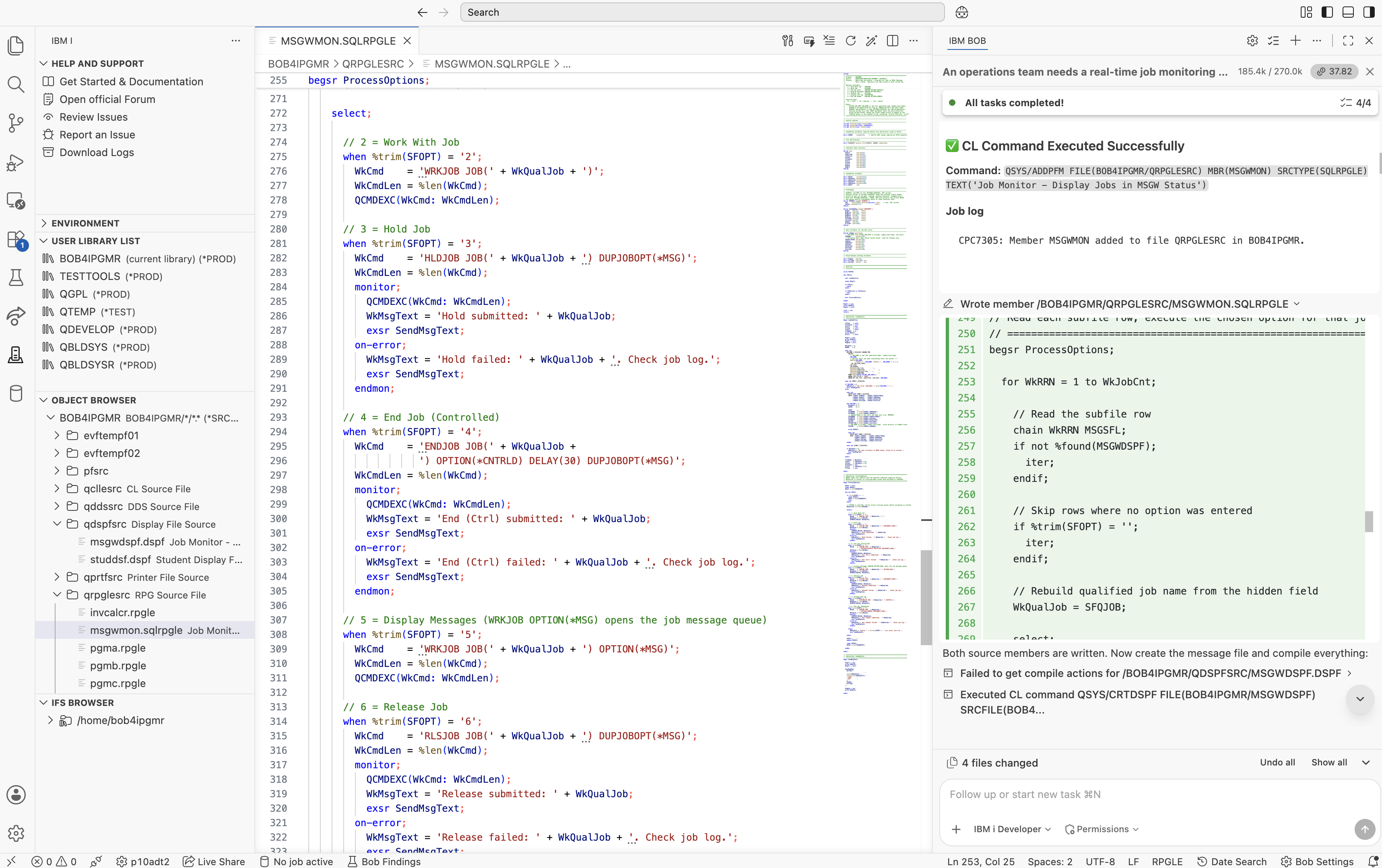
ProcessOptions subroutine reading changed subfile rows with READC and calling QCMDEXC
With both source members generated, I asked IBM Bob to compile them directly from the chat. Using IBM i Developer Mode, it ran CRTDSPF for the display file and CRTSQLRPGI for the SQLRPGLE program on the live IBM i system, then reported the compiler results in real time.
CRTDSPF and CRTSQLRPGI output — both clean on the first attemptMSGWDSPF: CPC7301 — Display file created in BOB4IPGMR.MSGWMON: Highest severity 00, zero errors, zero warnings. The 46 informational messages (RNF7066 and RNF7031) were expected because they relate to the message subfile formats managed through QMHSNDPM, rather than direct RPG I/O.
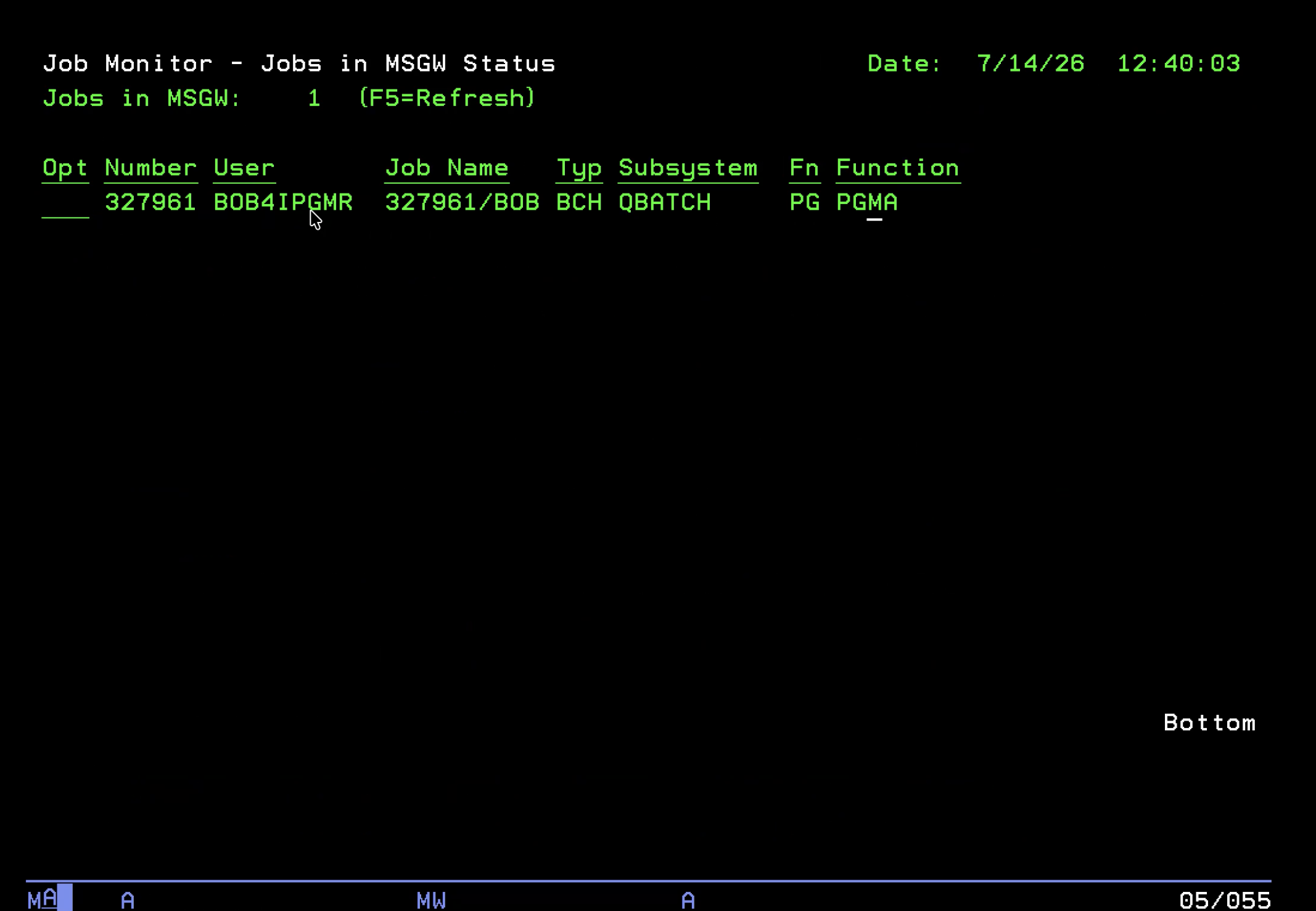
I then called the program. The display opened successfully, and the MSGW job that was active on the test system appeared in the subfile exactly as expected. At that point, I had gone from a single prompt to an implementation plan, generated source members, a successful compilation, and a working screen — all in less than fifteen minutes. However, compiling successfully was only the first step. The next stage was to verify that every operator action behaved correctly under real conditions.
After the first working version, I made two small enhancement requests:
F5=Refresh label from the subfile control header, since it was already displayed in the FOOTER on line 23.
IBM Bob updated only the requested changes. For the duplicate F5=Refresh label, it modified a single constant without regenerating the entire display file or changing unrelated code.
That level of precision stood out to me. Each enhancement was limited to the affected lines, making it easy to review the changes and understand exactly what had been modified. For small refinements and maintenance tasks, that targeted editing approach is far more useful than regenerating an entire source member.
This is where things got more interesting.
After the enhancements compiled, I pressed F5 to refresh the screen, and the function key legend on lines 22–23 had disappeared. Every refresh wiped it. I reported it to IBM Bob the same way I would report a bug to a colleague:
"The function key footer disappears every time the subfile refreshes."
IBM Bob came back with a precise explanation:
"The root cause is that
EXFMT MSGCTLperforms a full-screen write. WithoutOVERLAYon the subfile control record, the 5250 data stream clears all screen positions not explicitly written by that operation, including theFOOTERrecord on lines 22–23. AddingOVERLAYtoMSGCTLinstructs the 5250 write to merge its output with the existing screen content rather than replacing it entirely."
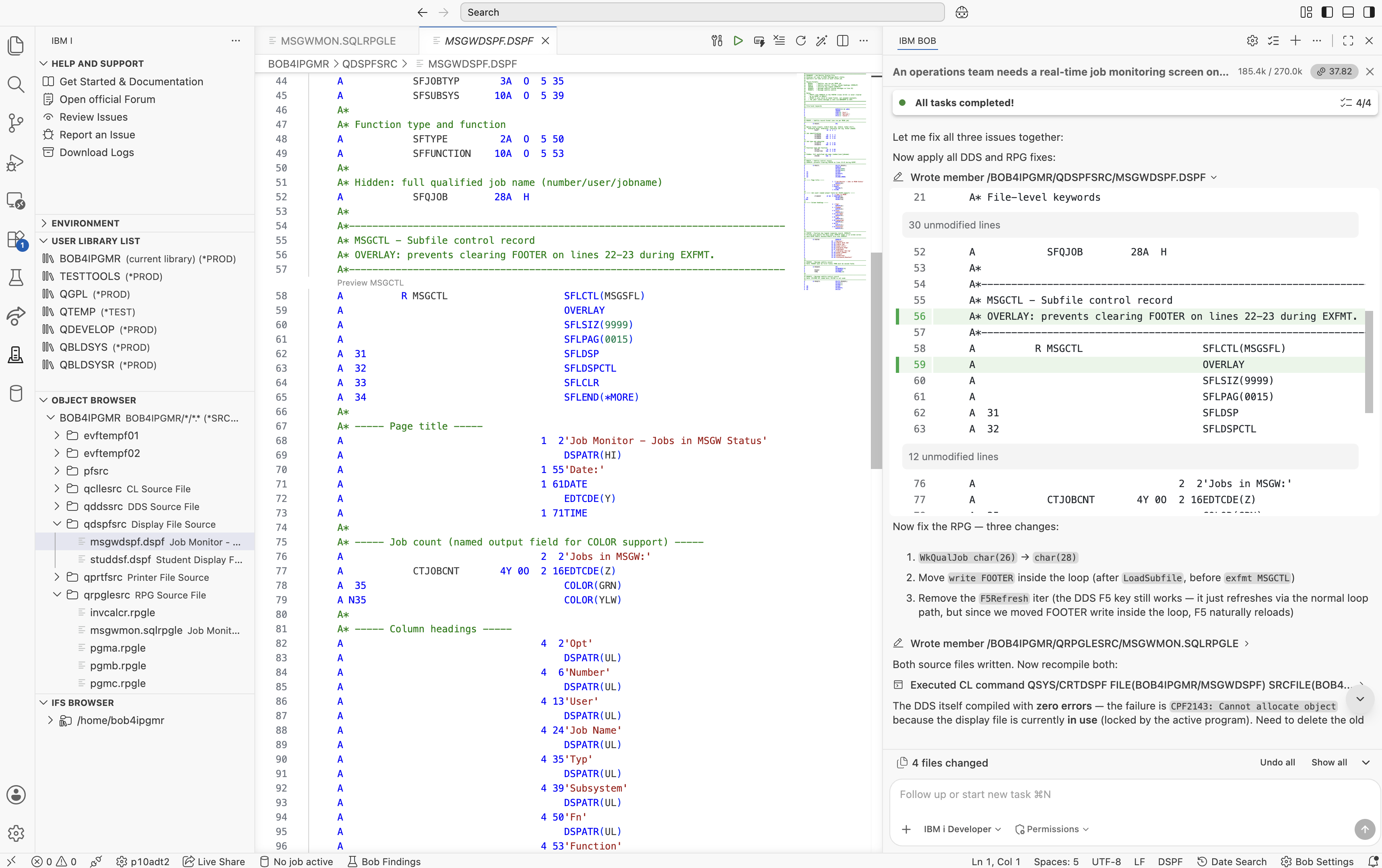
OVERLAY added. Without it, EXFMT MSGCTL clears the separately-written FOOTER.A R MSGCTL SFLCTL(MSGSFL) - SFLSIZ(9999) - SFLPAG(0015)
     A          R MSGCTL      SFLCTL(MSGSFL)
+                            OVERLAY
+                            SFLSIZ(9999)
+                            SFLPAG(0015)
One DDS keyword. IBM Bob identified the problem, explained the underlying 5250 screen update behaviour, applied the fix, and after recompiling, the footer remained visible through every subsequent refresh.
The footer issue was the most visible problem, but it wasn't the only one. I want to be transparent about the other issues because they show how working with IBM Bob actually unfolded. The first version wasn't perfect, but the debugging experience was just as valuable as the initial code generation.
HLDJOB, ENDJOB, and the other options — failed with a "job not found" error.
The JOB_NAME column returned by QSYS2.ACTIVE_JOB_INFO() already contains the fully qualified job name in number/user/name format. The initial code rebuilt the value by concatenating JobNumber + '/' + JobUser + '/' + JobName. For a job such as 327961/BOB4IPGMR/PGMA, that produced 327961/BOB4IPGMR/327961/BOB4 — double-encoded and then truncated to 28 characters. As a result, every generated CL command referenced an invalid job name, producing errors such as "job not found" or "matching parenthesis not found", because the closing parenthesis was truncated along with the command string.
I reported the behaviour, and IBM Bob traced it back to the semantics of the ACTIVE_JOB_INFO() result set. It corrected the logic by using the fully qualified job name returned by the SQL service instead of rebuilding it. No other code needed to change.
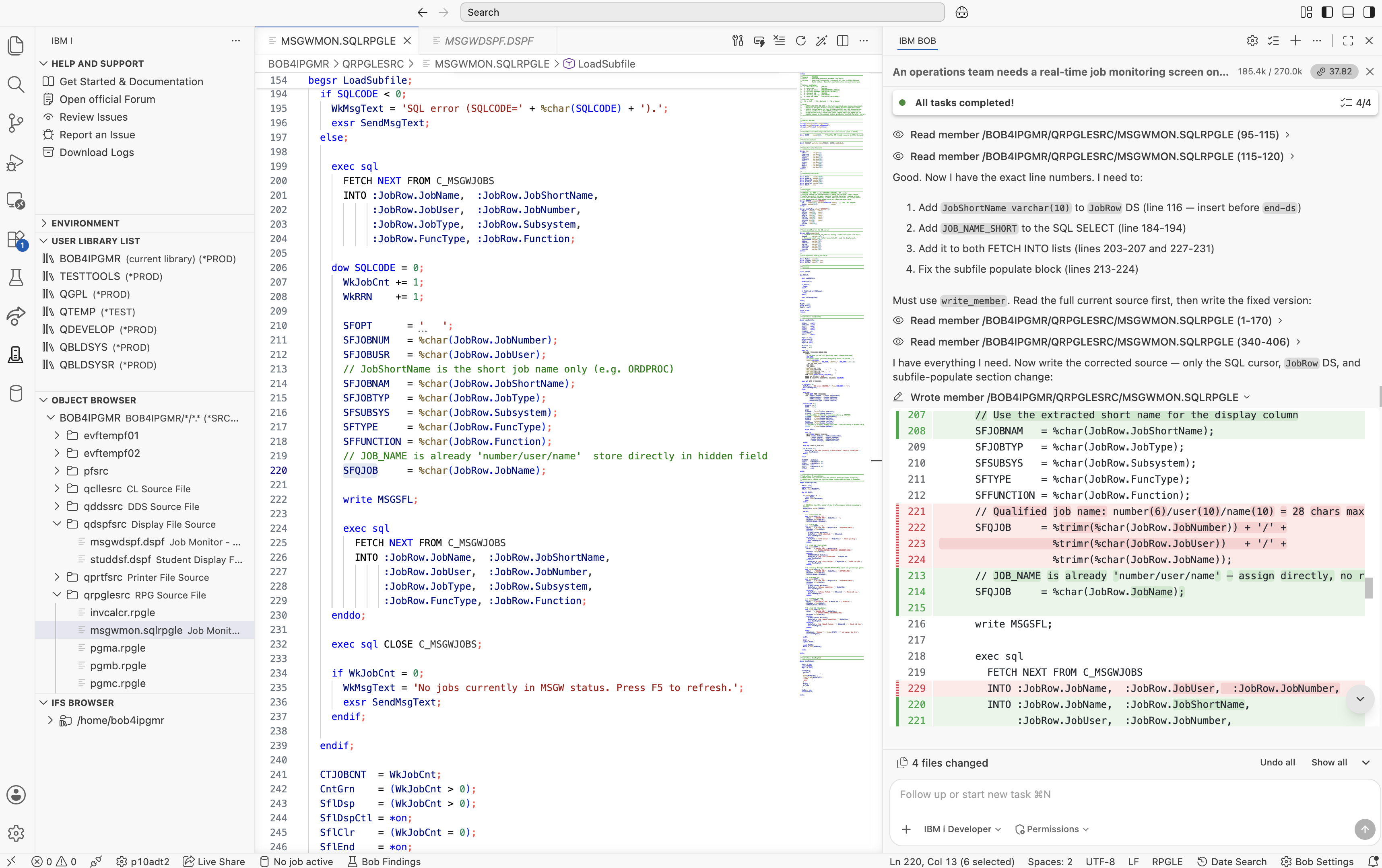
JobRow.JobName, which is already the full qualified name- SFQJOB = %trimr(JobRow.JobNumber) + '/' - + %trimr(JobRow.JobUser) + '/' - + %trimr(JobRow.JobName); // already full! - SFJOBNAM = %char(JobRow.JobName); // showed nbr/usr/name
+ SFQJOB   = %char(JobRow.JobName);      // '327961/BOB4IPGMR/PGMA'
+ SFJOBNAM = %char(JobRow.JobShortName); // 'PGMA' (for display only)
QCMDEXC call failed with "String contains a character that is not valid" — even for syntactically correct commands such as WRKJOB JOB(327961/BOB4IPGMR/PGMA).
The initial prototype declared the command parameter as varchar(32702) options(*varsize). When a VARCHAR variable is passed to a VARCHAR OPTIONS(*VARSIZE) parameter in ILE RPG, the compiler includes the internal two-byte length prefix as part of the data passed to the procedure. As a result, QCMDEXC received those two bytes at the beginning of the command string instead of the first command character. Although the command looked correct in the source code, the value received by QCMDEXC effectively began with two invisible characters before WRKJOB. The system therefore rejected the command with the "character not valid" error.
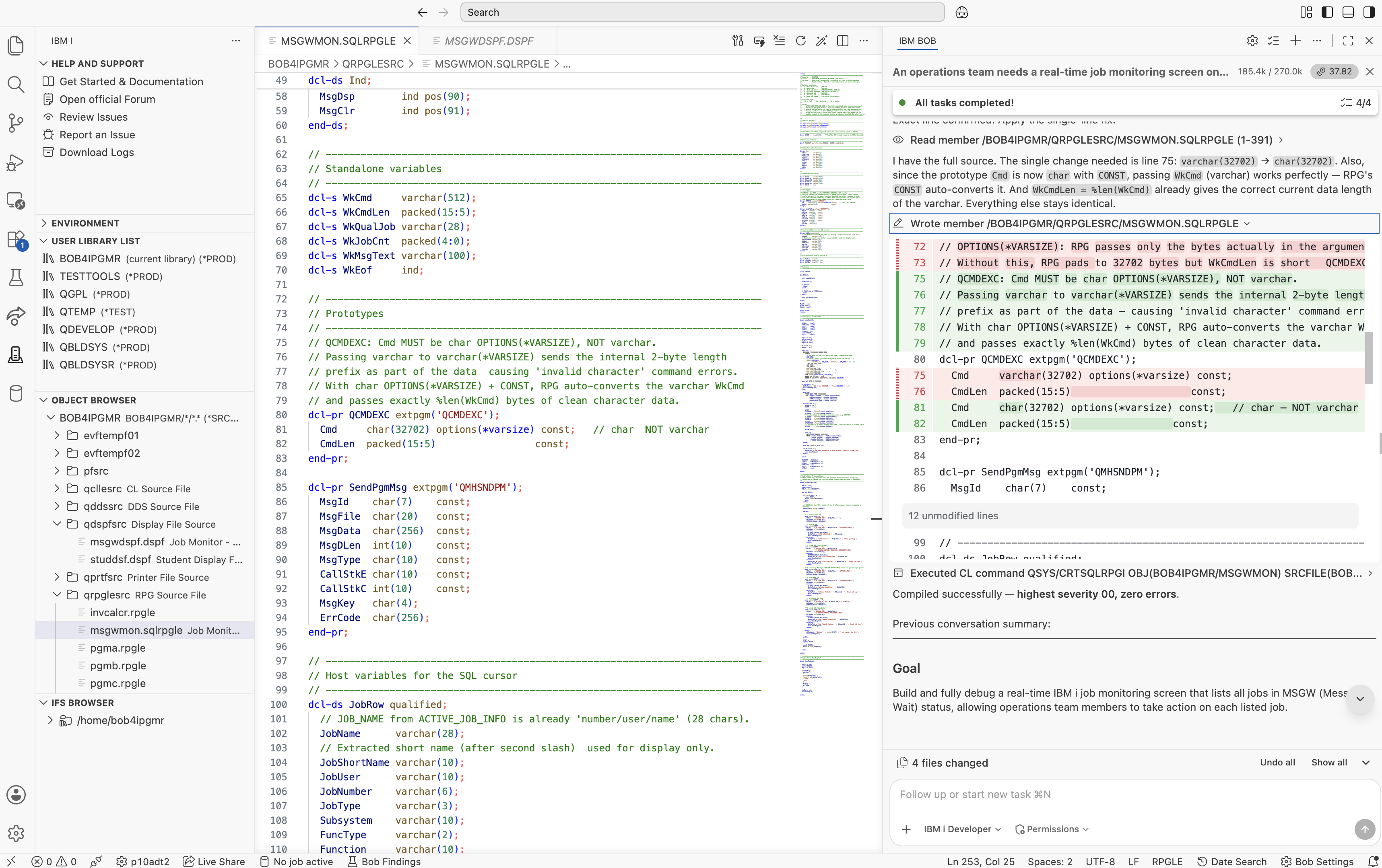
varchar OPTIONS(*VARSIZE) (wrong) vs char OPTIONS(*VARSIZE) (correct)dcl-pr QCMDEXC extpgm('QCMDEXC');
- Cmd varchar(32702) options(*varsize) const;
CmdLen packed(15:5) const;
end-pr;
dcl-pr QCMDEXC extpgm('QCMDEXC');
+  Cmd    char(32702) options(*varsize) const;
   CmdLen packed(15:5)                 const;
end-pr;
The initial implementation used WRKMSG JOB(...). The problem is that WRKMSG expects a message queue object — for example, WRKMSG MSGQ(QGPL/QSYSOPR). It does not support a JOB() parameter. To display the inquiry messages for a job, the correct command is WRKJOB JOB(...) OPTION(*MSG). I reported the issue, and IBM Bob identified the incorrect command and replaced it with the appropriate one. It was a small change, but an important one. If an operator selected option 5 and immediately received a command failure, it would reduce confidence in the application.
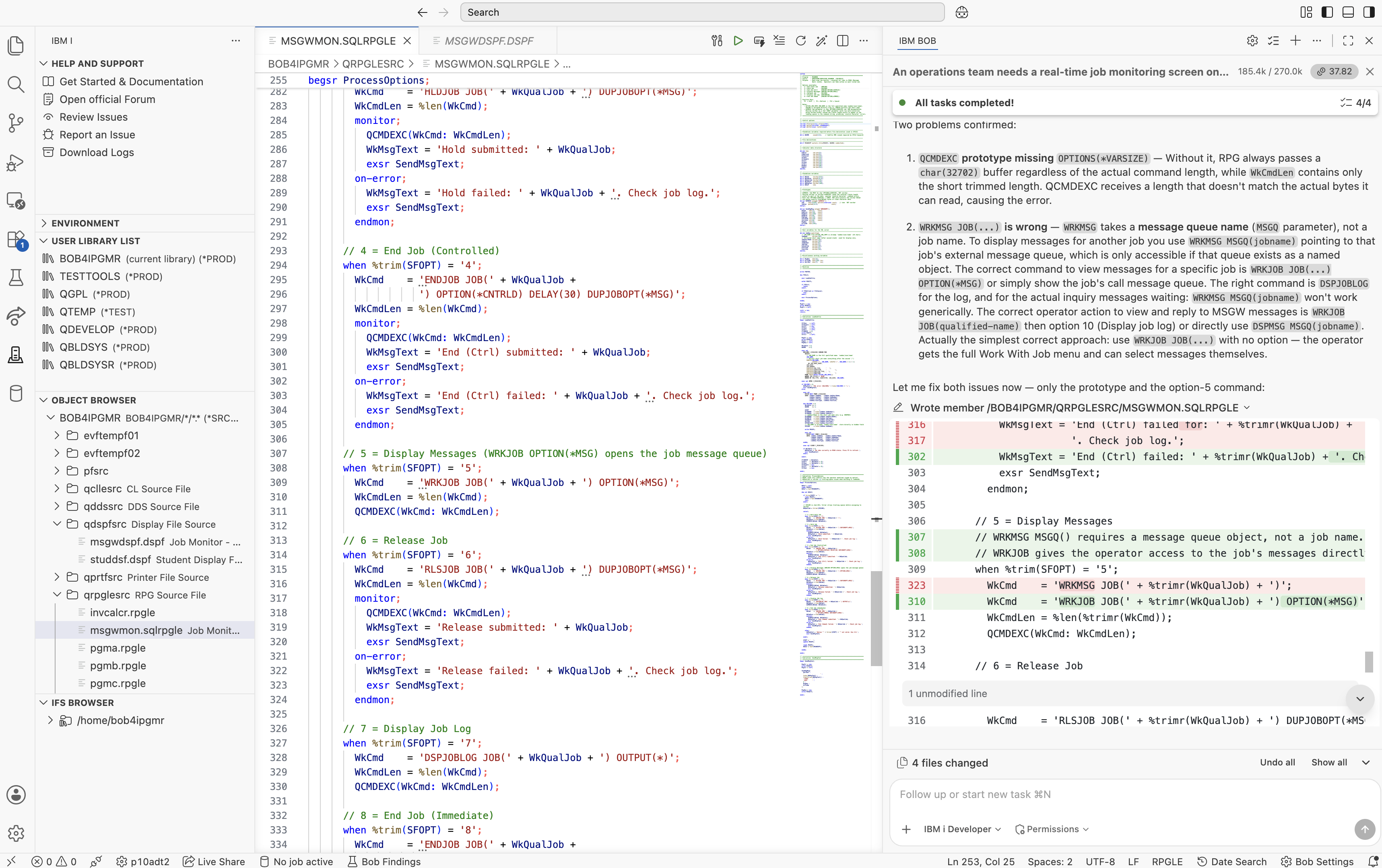
WRKJOB JOB(...) OPTION(*MSG) instead of the invalid WRKMSG JOB(...)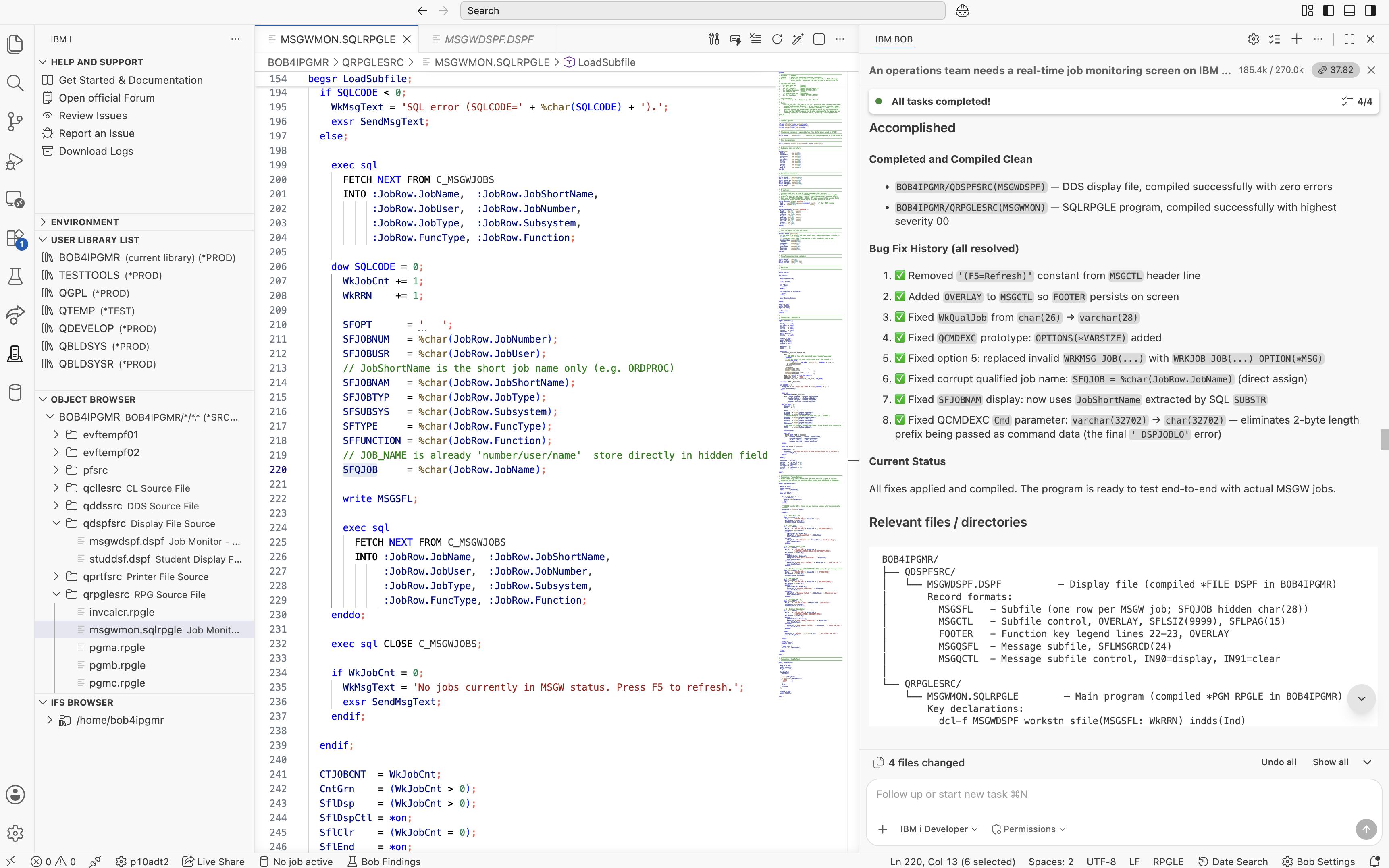
CRTSQLRPGI output — highest severity 00RNF7066 and RNF7031) were expected. They relate to the message subfile formats managed through QMHSNDPM, which is the standard IBM i approach for providing interactive program feedback. They do not indicate a problem with the application.
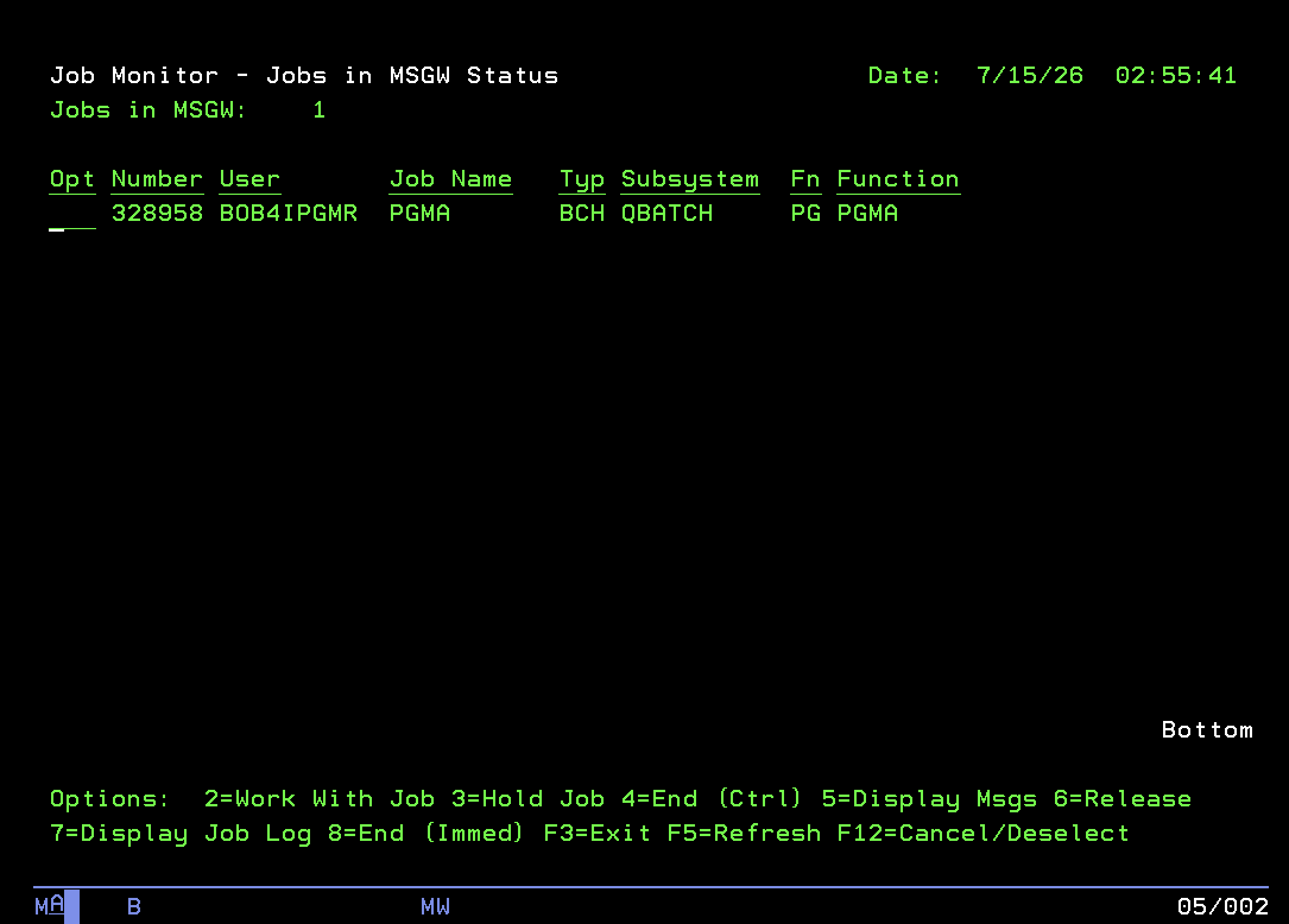
An L1 analyst opens the screen and immediately sees only the jobs that require attention. They can type 5 to view the waiting message, 2 to work with the job, or 3 to hold it. There are no IBM i commands to remember or navigate. The job counter is displayed in green when MSGW jobs require attention and yellow when the queue is clear.
The table below compares the time I would typically expect to spend developing this application manually with the time it took using IBM i Developer Mode in IBM Bob Premium Package for i (PPi).
| Task | Manually | With IBM i Developer Mode |
|---|---|---|
| DDS subfile design and layout | 2–3 hours | ~5 minutes |
| RPGLE subfile load and display logic | 3–4 hours | ~10 minutes |
SQL cursor with ACTIVE_JOB_INFO | 45–60 minutes | Included |
Message subfile wiring (QMHSNDPM) | 1–2 hours | Included |
Debugging the OVERLAY footer issue | 30–60 minutes | ~2 minutes |
Diagnosing the varchar/char QCMDEXC defect | 1–2 hours | ~5 minutes |
| Total | ~2 business days | < 1 hour |
One issue deserves a special mention. The varchar/char QCMDEXC prototype problem provides very little information about where to start looking. An experienced IBM i developer could easily spend an hour tracing the command string and reviewing the ILE RPG calling conventions before identifying the parameter definition. I reported the symptom, and IBM Bob identified the underlying cause and generated the required fix.
A full walkthrough of the MSGW Job Monitor running live on IBM i, built using IBM i Developer Mode in IBM Bob Premium Package for i (PPi).
To find out more, check out these resources: